
The categories are grouped by color. You can arrange them from newest to oldest or oldest to newest.
The categories are grouped by color. You can arrange them from newest to oldest or oldest to newest.
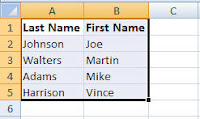
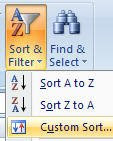
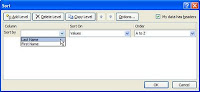 Select the column you need to sort information by: Last Name, Address, etc… If your column headers do not appear as options for sorting in the Sort by option, click on the box next to the My data has headers.